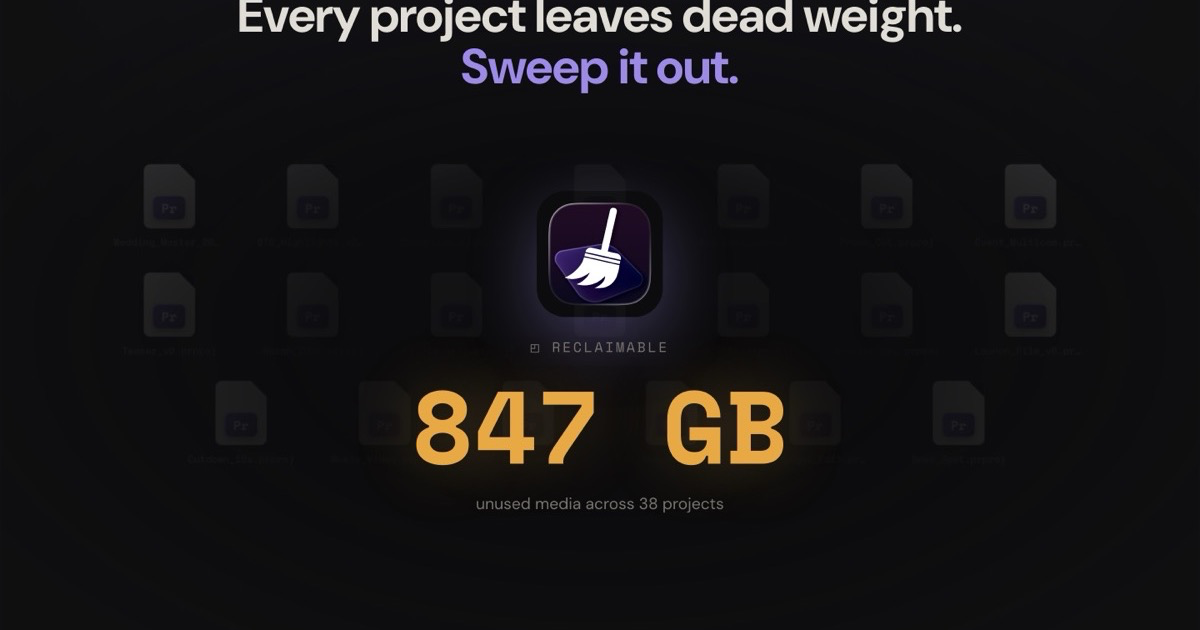
Version 1 of Clip Sweeper answered one question very well: which media on this drive is actually used on a timeline, and which is just dead weight? It walked the reference chain through every Premiere project, cross-checked After Effects comps, and handed you a list of files you could safely reclaim.
A list is the right answer, but a list is not how editors think. You don't picture your footage as 4,000 rows. You picture the wedding drive, the brand-spot bin, that one multicam folder that ate half the SSD. So for v2, the goal was to make Clip Sweeper feel less like a spreadsheet and more like looking at your own drive. Here's what's new.
Three ways to look at the same truth
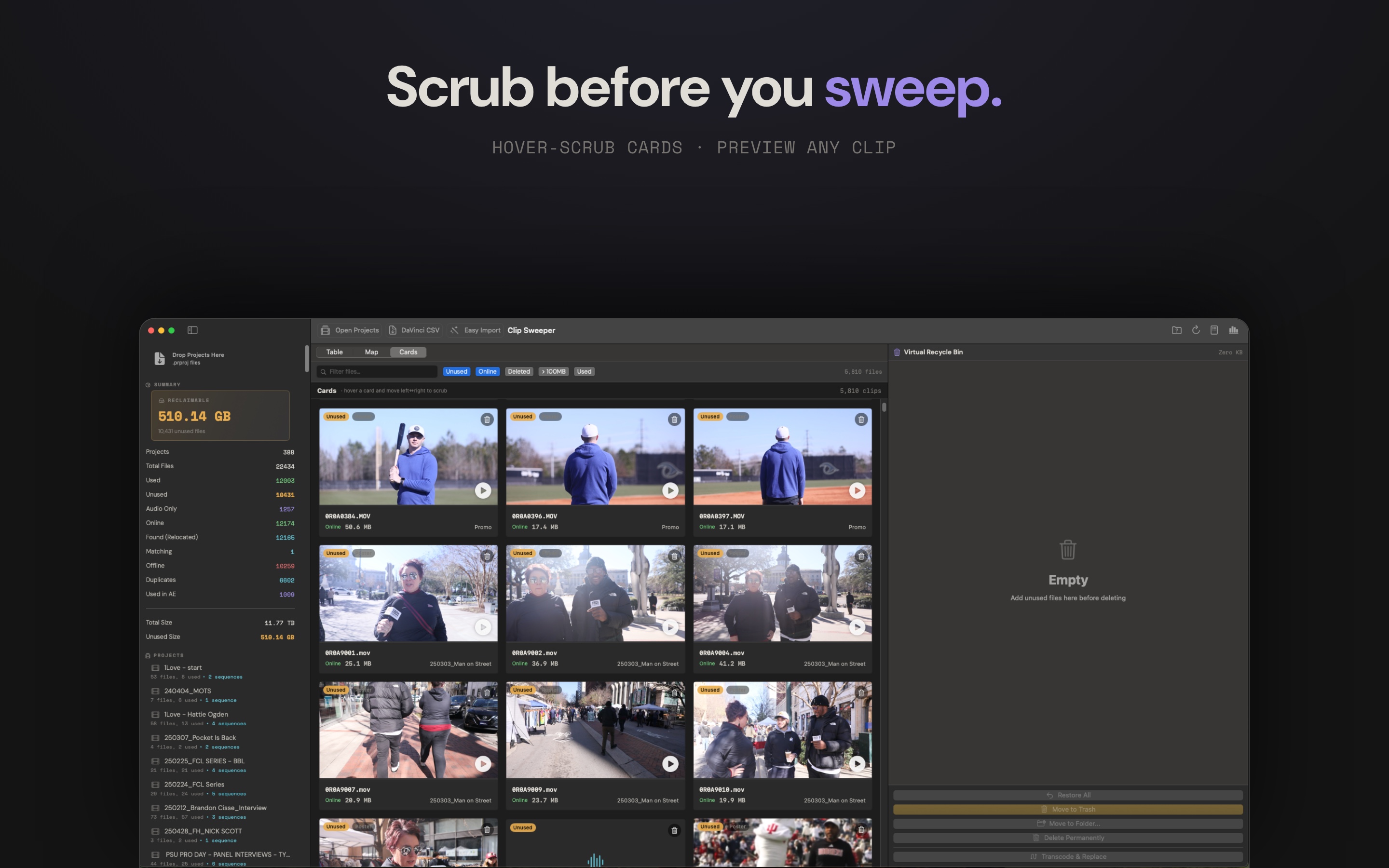
The unused-media analysis is the same validated engine from v1. What changed is how you see it. v2 gives you three views over one result, and the same filters apply across all of them:
- Cards. Big tiles you can hover to scrub through, frame by frame, without clicking. Verify a clip is junk before you stage it. It's the new default, and honestly it's where most cleanup now happens.
- Table. The precise, sortable list from v1, still here when you want columns and exact numbers.
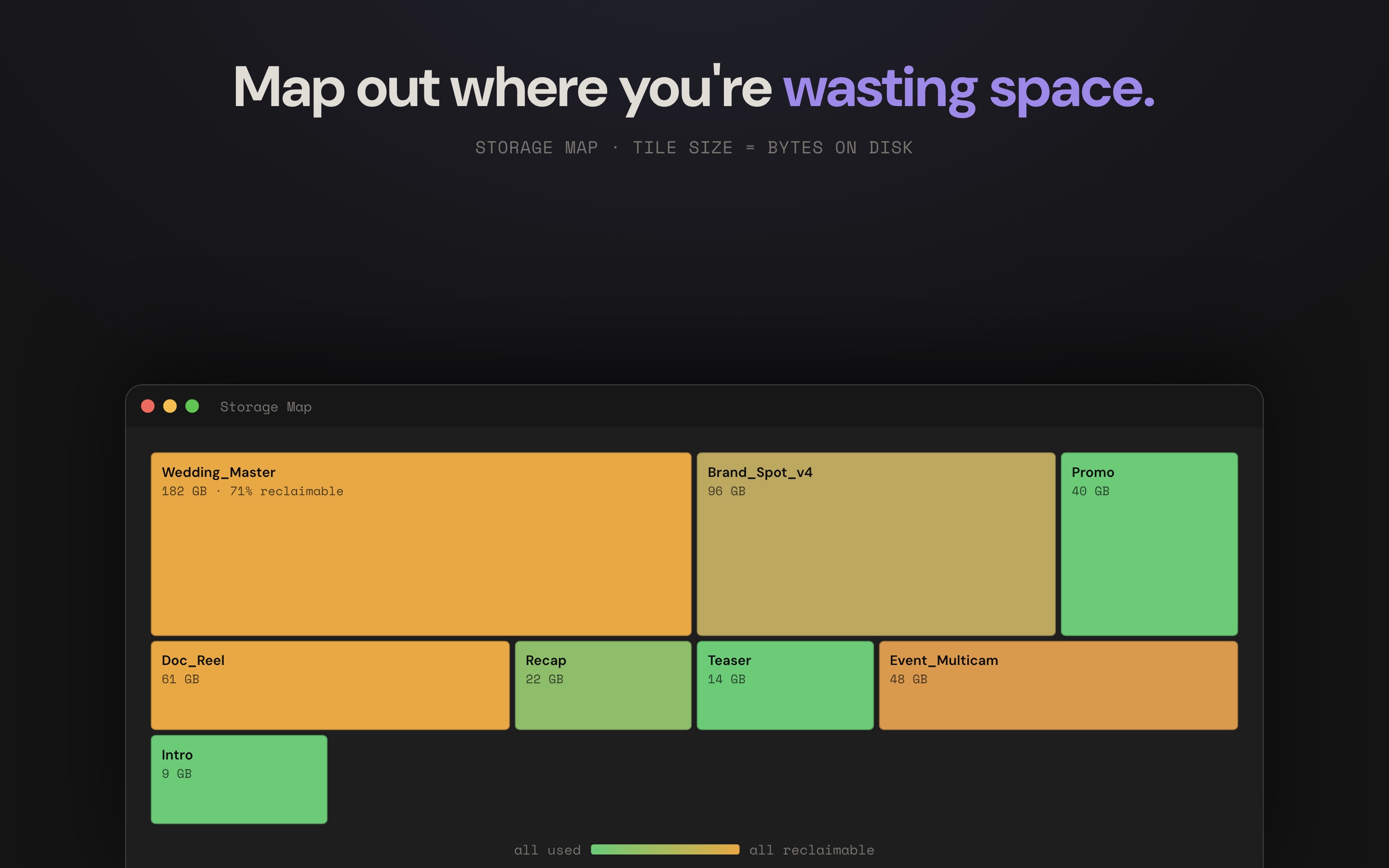
- Map. A storage treemap where every tile is sized by its bytes on disk and tinted from green to orange by how much of it is reclaimable. One glance and the wasteful projects are the big orange rectangles. Click one to drop straight into it.
The Map is the one that changes how the whole thing feels. A list tells you a number. The Map shows you where, the same way a colorist reads a scope instead of a table of RGB values.
It speaks DaVinci now, too
Resolve editors have been asking, and v2 delivers. In Resolve, build a smart bin where Usage = 0 and export the metadata CSV. Clip Sweeper imports that CSV like it would a project file, recursing to find the real media on disk and dropping it into the same safe cleanup workflow. If you want the exact steps, there's a full walkthrough of the Resolve side.
One deliberate distinction: those clips are labeled DaVinci CSV, not "Unused." Resolve flagged them, not Clip Sweeper's own timeline analysis, so the call to delete stays yours. The label keeps that honest.

A folder you can mark "hands off"
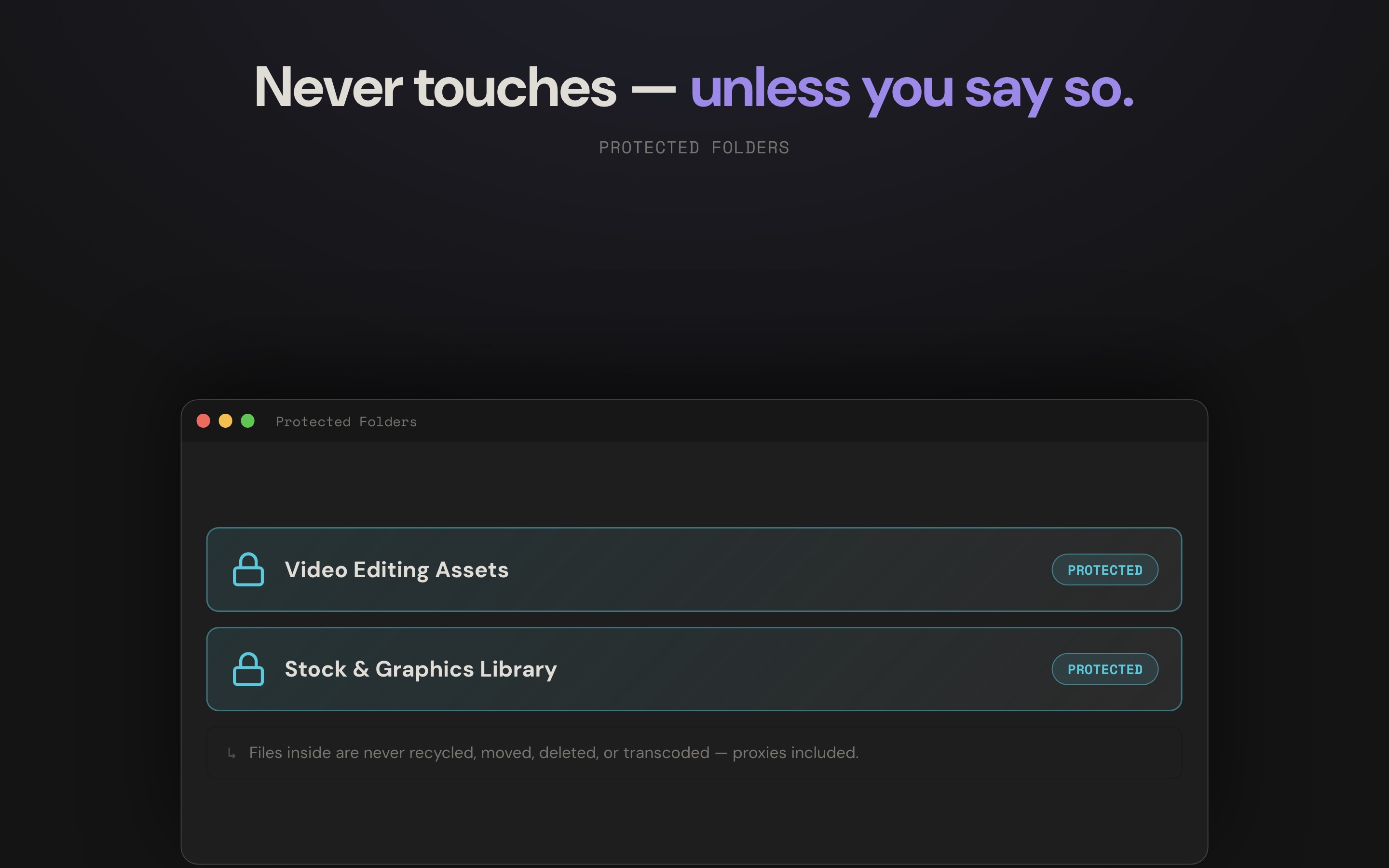
Most editors keep a library they never want touched: stock, graphics, sound effects, the asset folder every project pulls from. In v1 you'd re-apply a filter every session to keep it out of the way. In v2 you set it once with Protected Folders.
Point Clip Sweeper at a directory and nothing inside it can ever be recycled, moved, deleted, or transcoded, proxies included. Files in a protected folder wear a small lock and simply can't be staged for removal. It's the difference between a locked equipment cage and a sticky note that says "please don't."
Previews for the formats cameras actually shoot
Scrubbing a clip only helps if the clip will play. v2 previews MXF, Sony, Canon, and the rest natively when Apple's Pro Video Formats are installed, and falls back to a built-in decoder when they're not, so you get a real frame to look at either way, not a generic film icon. Scrub frames live in memory only. Clip Sweeper doesn't litter your drives with a cache to clean up later.
Built for the drive that's actually full
The drives that need cleaning most are never the small ones. v2 was hardened against the worst case: hundreds of projects parsed at once with bounded parallelism that won't thrash a network or cloud-backed mount, thousands of offline assets reconnected, and progress that finally reflects the work instead of sitting at 99%. Selecting thousands of clips to stage is instant now, not a beach ball.
Nothing's gone until you say so
The safety model is still the whole point. Everything you flag lands in a virtual recycle bin first, so nothing on disk is touched. From there you choose what happens: restore it, send it to the Trash, move the originals to another folder with structure preserved, or permanently delete behind a type-to-confirm. Every one of those paths checks your protected folders before it runs, and the move operation now shows a progress window you can cancel mid-run.
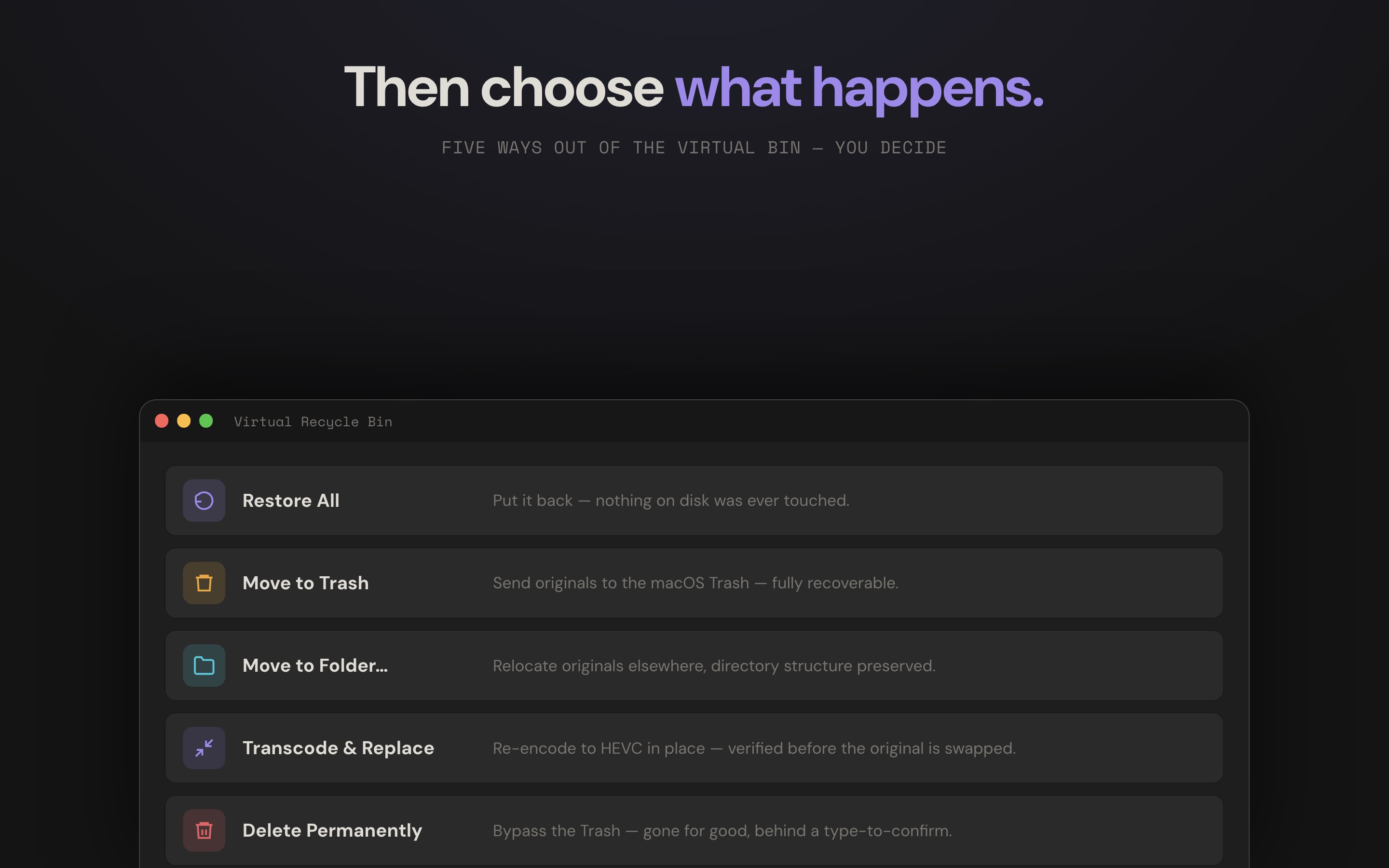
Same principle as v1, more ways out, and more guardrails on each one. The footage you've sweated over should be hard to lose by accident and easy to reclaim on purpose.
v1 found your dead weight. v2 lets you see it, preview it, and sweep it without holding your breath. If you've got a drive that's mysteriously full, point Clip Sweeper at it, or estimate what that wasted space is costing you first with the storage calculator.